
For members
Spaces — the rooms of your community
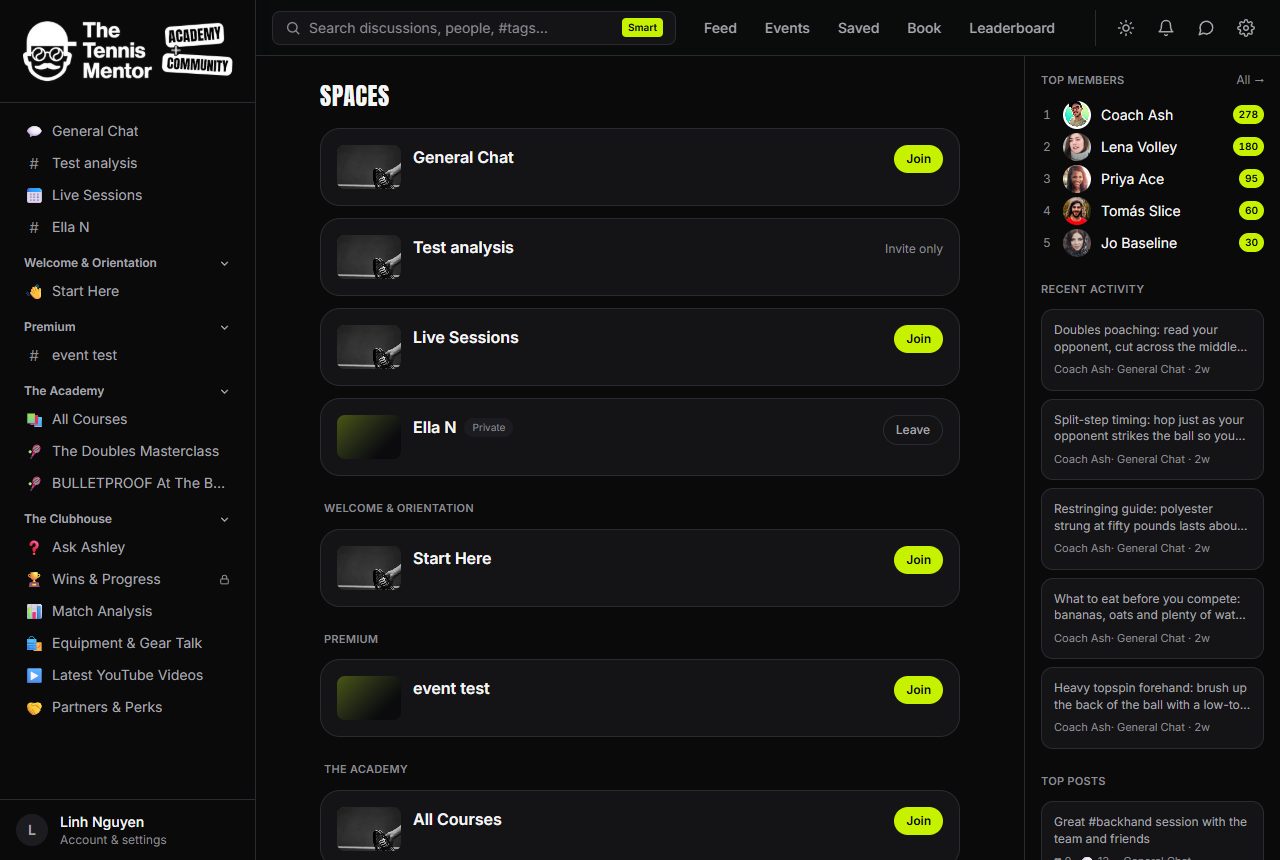
Spaces are where everything lives. Each one is built for a purpose, and the page adapts to match.
The kinds of space
- Discussion / feed spaces — a stream of posts and conversation, just like the home feed.
- Course spaces — structured lessons in modules, with progress tracking.
- Resource spaces — a library of files, videos and links.
- Events spaces — a calendar of upcoming sessions you can RSVP to.
- Player development spaces — a private space where your coach tracks lessons, goals and progress.
How to join a space
- Open Spaces from the sidebar (or the Spaces tab on mobile).
- Find the space you want. Spaces are grouped into sections, matching the sidebar.
- Press the button on the right:
- Join — open spaces let you straight in.
- Request — some spaces need approval; you'll see Requested while you wait, and a notification when you're approved.
- Accept / Decline — if you've been invited, the choice is yours.
If a space says Invite only, membership is by invitation from the team. You can Leave any space from this page too.
Private spaces
Spaces marked Private show their name and description, but the content inside is only visible to members of that space.
Premium spaces
A space with a Premium badge is part of a paid tier you don't hold yet. You can see what it is, but its content stays locked — press Unlock to see the membership options that open it. There's more on this in Membership, tiers and billing.
Once you join, the space appears in your sidebar, and its posts start flowing into your home feed.