
For parents & players
Your player space — a guided tour
Every player gets a private space shared only by the coach and the family — nobody else in the community can see it, or even that it exists.
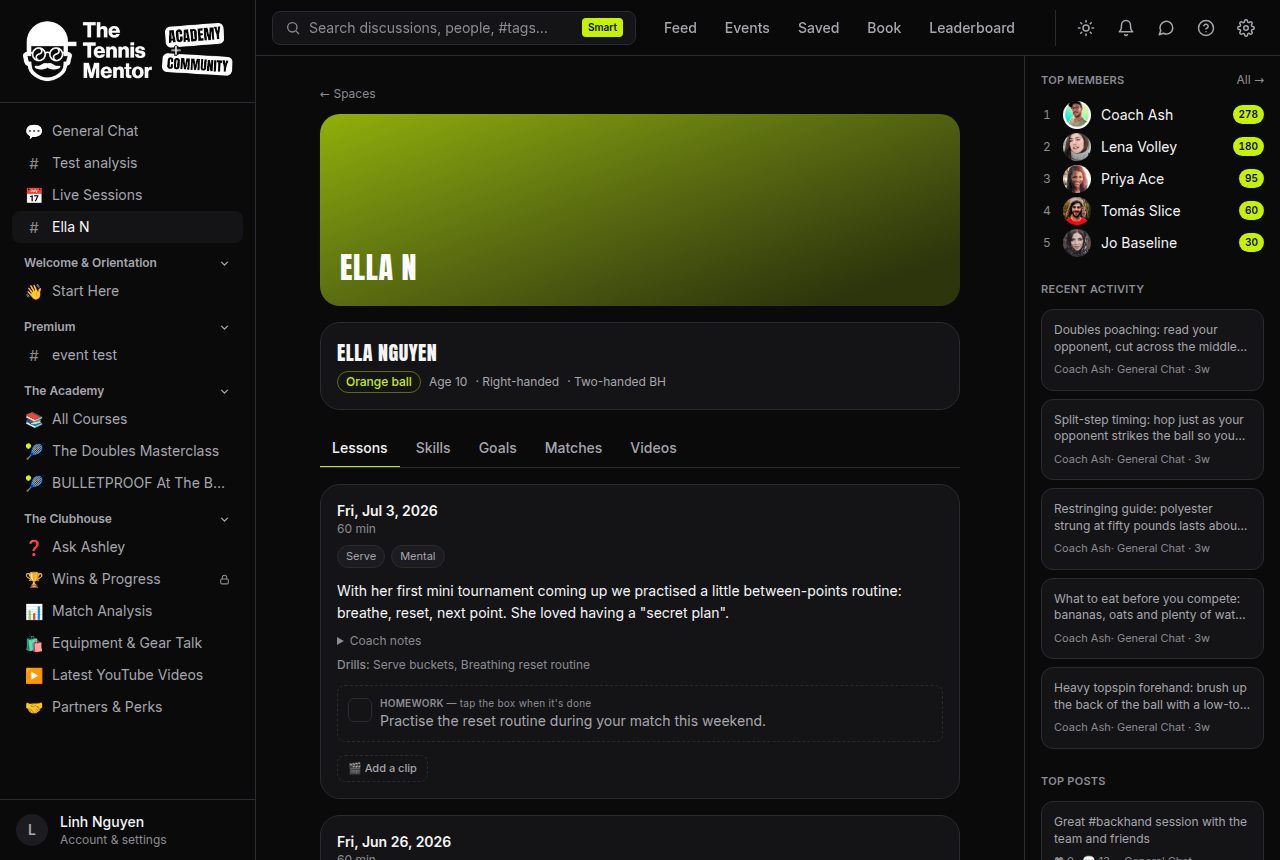
At the top you'll see the player card: name, age group, playing hand, backhand style and current level (for example Orange ball). Below it, five tabs:
- Lessons — the diary. Every lesson the coach logs appears here, newest first, with a summary written for you — see Reading a lesson report.
- Skills — the progress picture: an 8-skill radar, progress lines over time, and the Progress card that answers "what's improved lately?" — see The Skills tab.
- Goals — the milestones your coach has set, and the trophies already earned — see Goals and milestones.
- Matches — results anyone in the space can log, with a form guide — see Logging match results.
- Videos — every clip ever added, each with its own review chat — see Shot review.
Who can see what
Only active members of this space (the coach, and whoever the coach invites — typically parents, or the adult player themselves) can see anything inside it. Uploaded videos are stored privately and never have a public link.