
For members
Joining and your first day
Welcome! Here's everything you need for a smooth first day.
Signing in
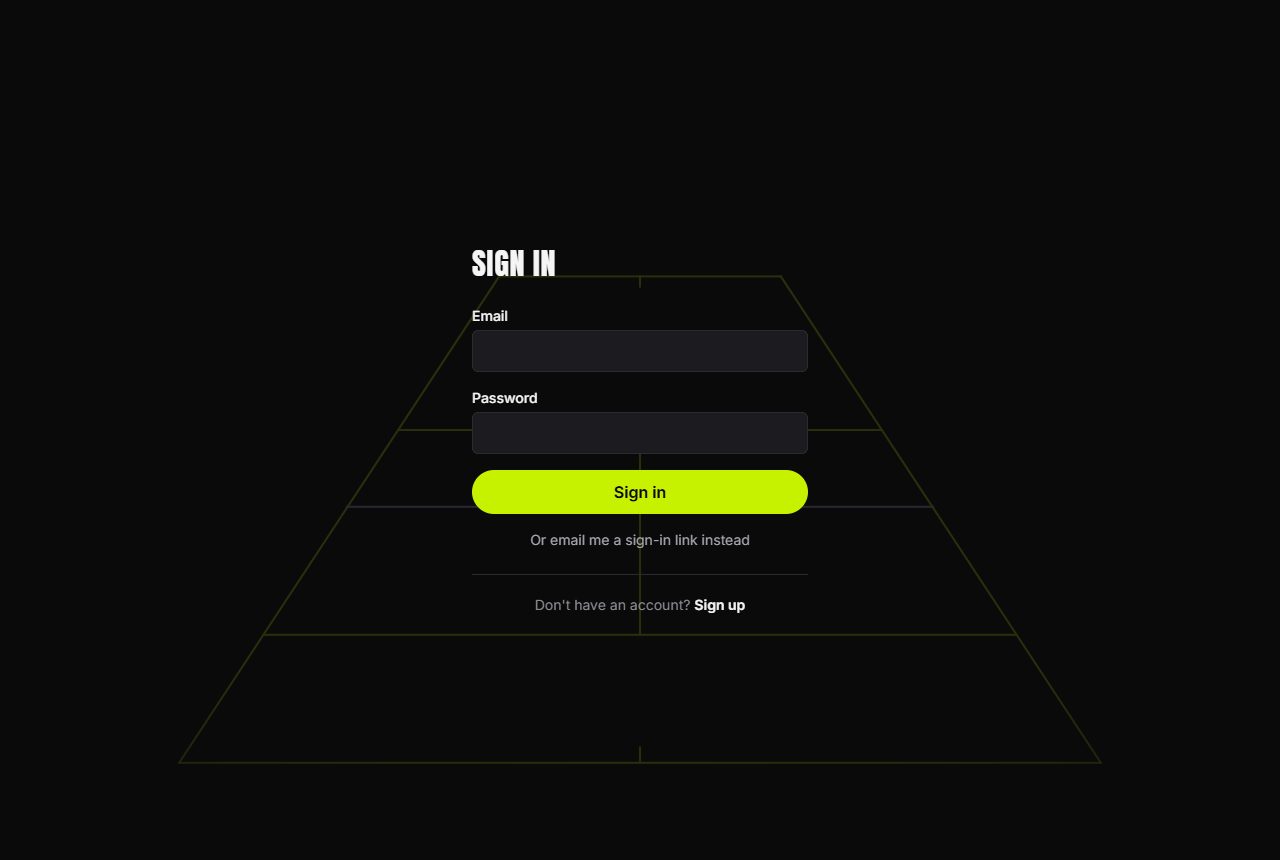
Head to the sign-in page and choose whichever suits you:
- Sign in with your email and password.
- Prefer no password? Choose Or email me a sign-in link instead and we'll send a secure link to your inbox — click it and you're in.
- If they're switched on for your community, you can also use Continue with Google or Continue with Apple.
If you joined by buying a membership, you'll have received a sign-in link by email straight after checkout — the whole flow is passwordless.
Set up your profile
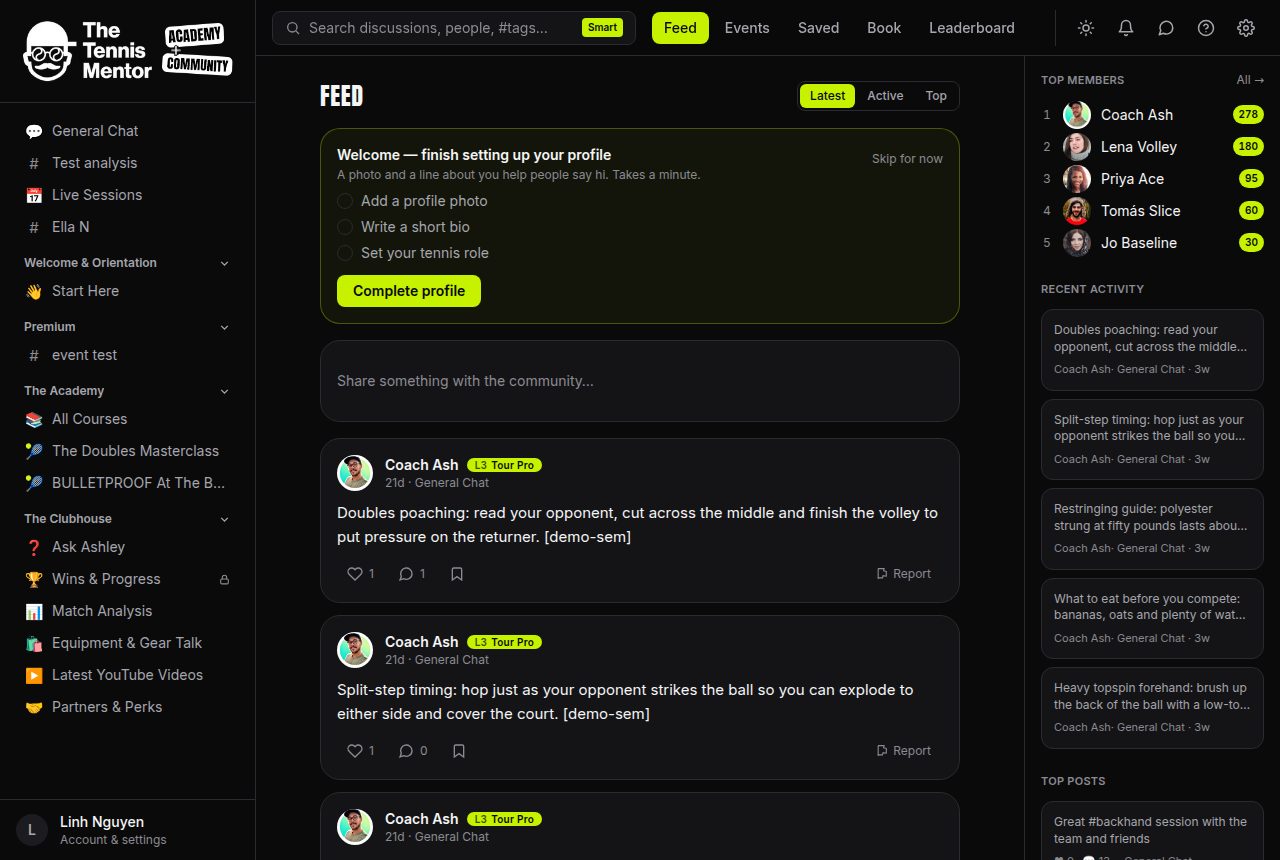
The first time you open the feed, you'll see a friendly card: Welcome — finish setting up your profile. It has three quick tasks:
- Add a profile photo
- Write a short bio
- Set your tennis role
Tap Complete profile to fill them in, or Skip for now if you'd rather explore first. A photo and a line about you really do help people say hi.
Finding your way around
- Feed — posts from every space you belong to.
- Spaces — the rooms of the community: discussions, courses, events and more. Your spaces are listed in the sidebar on desktop, or under the Spaces tab on your phone.
- Events, Saved, Book and Leaderboard live in the top navigation.
- The bell is your Activity feed — replies, likes, mentions and more land there (see How notifications work).
- The speech-bubble icon opens your direct Messages.
- The sun/moon button switches between light and dark mode.
How to join your first space
- Open Spaces.
- Browse the list and press Join on anything open (some spaces say Request instead).
- Once you're in, it appears in your sidebar and its posts join your feed.
That's it — say hello in the feed and you're off.