
For coaches & admins
Reviewing videos like a pro
Families can now put footage in front of you — practice clips, weekend matches. The workflow:
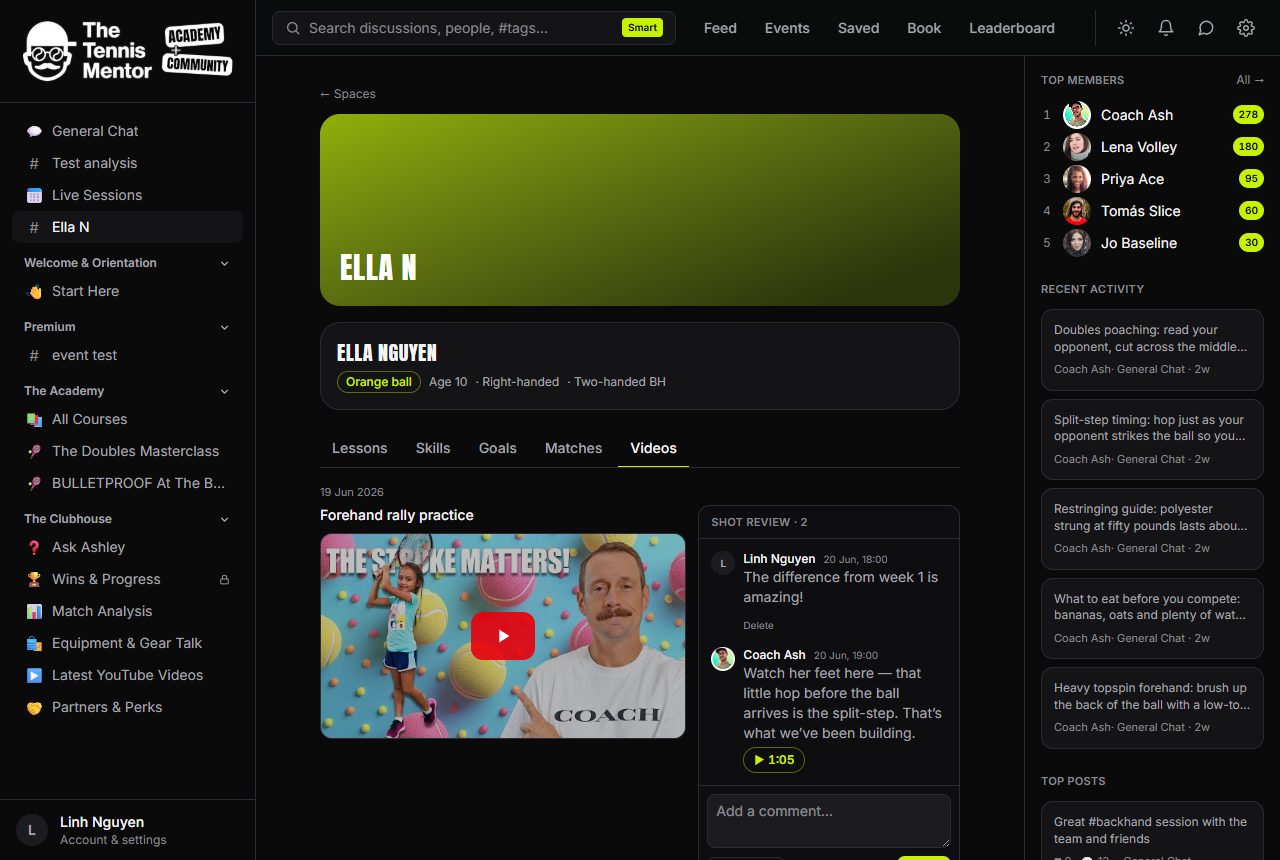
- The clip to review notification (and the dashboard flag) tells you something's waiting. The Videos tab holds every clip ever added, newest lesson first.
- Play the clip, pause on the moment, tap 📍 pin time — for uploaded clips it grabs the current second automatically — and write one specific sentence. Three pinned comments beat one essay.
- YouTube clips can't auto-grab the time (embed limitation); type it as
m:ss. The Send button politely refuses until the format is right, so a mis-typed pin can't silently vanish.
Uploaded clips seek instantly when a timestamp chip is tapped, which makes back-and-forth conversation genuinely fluid. Aim to keep the review queue at zero — it's the single strongest signal to a family that the space is alive, and the dashboard makes the queue visible so nothing slips.