
For coaches & admins
Automations — your community runs itself
Admin → Automations is the platform's quiet superpower: when X happens, do Y — reliably, at any hour, without you.
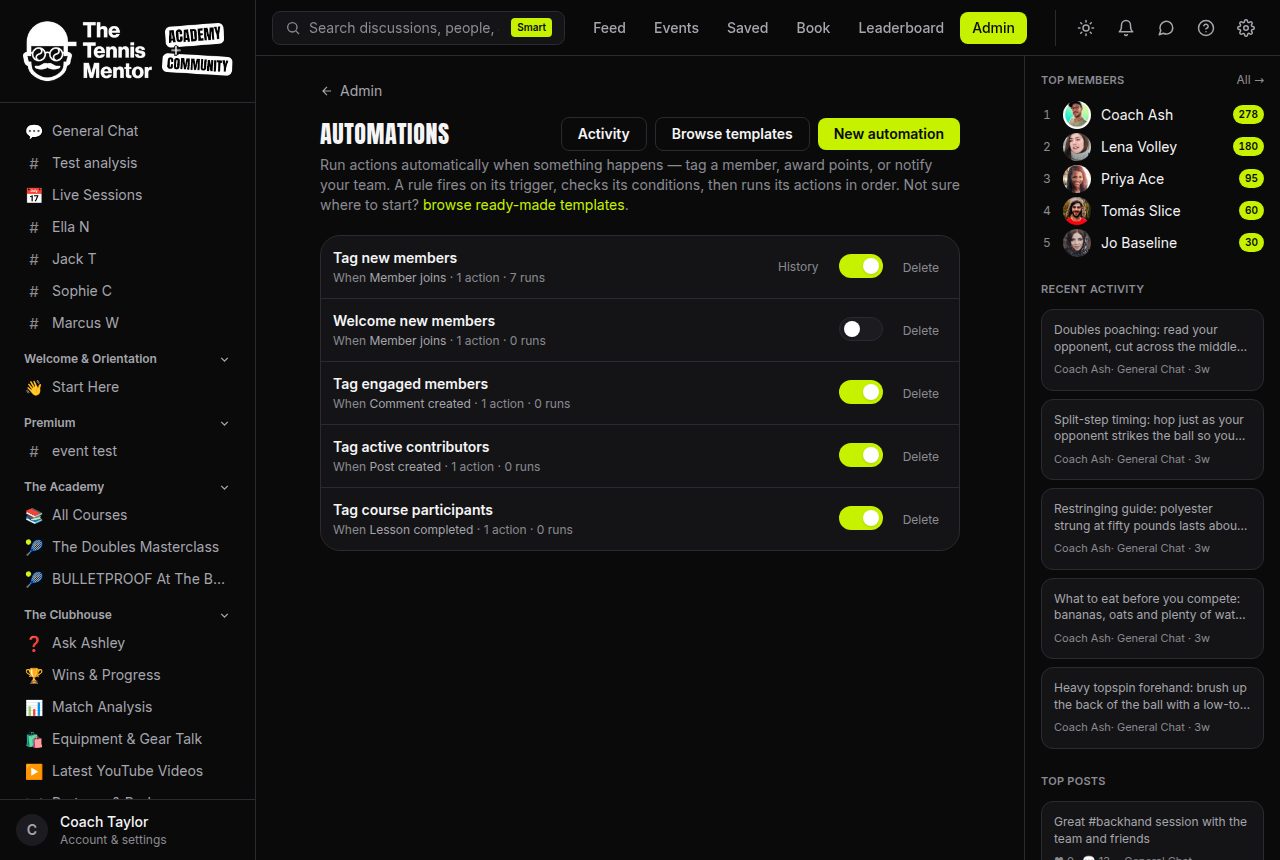
The eight triggers
- Member joined — the moment someone becomes part of your community
- Member levelled up — crossed a points threshold
- Purchase completed — bought a tier or a paid session
- Subscription expired — a membership lapsed
- Post created / Comment created / Reaction given
- Course lesson completed
The seven actions
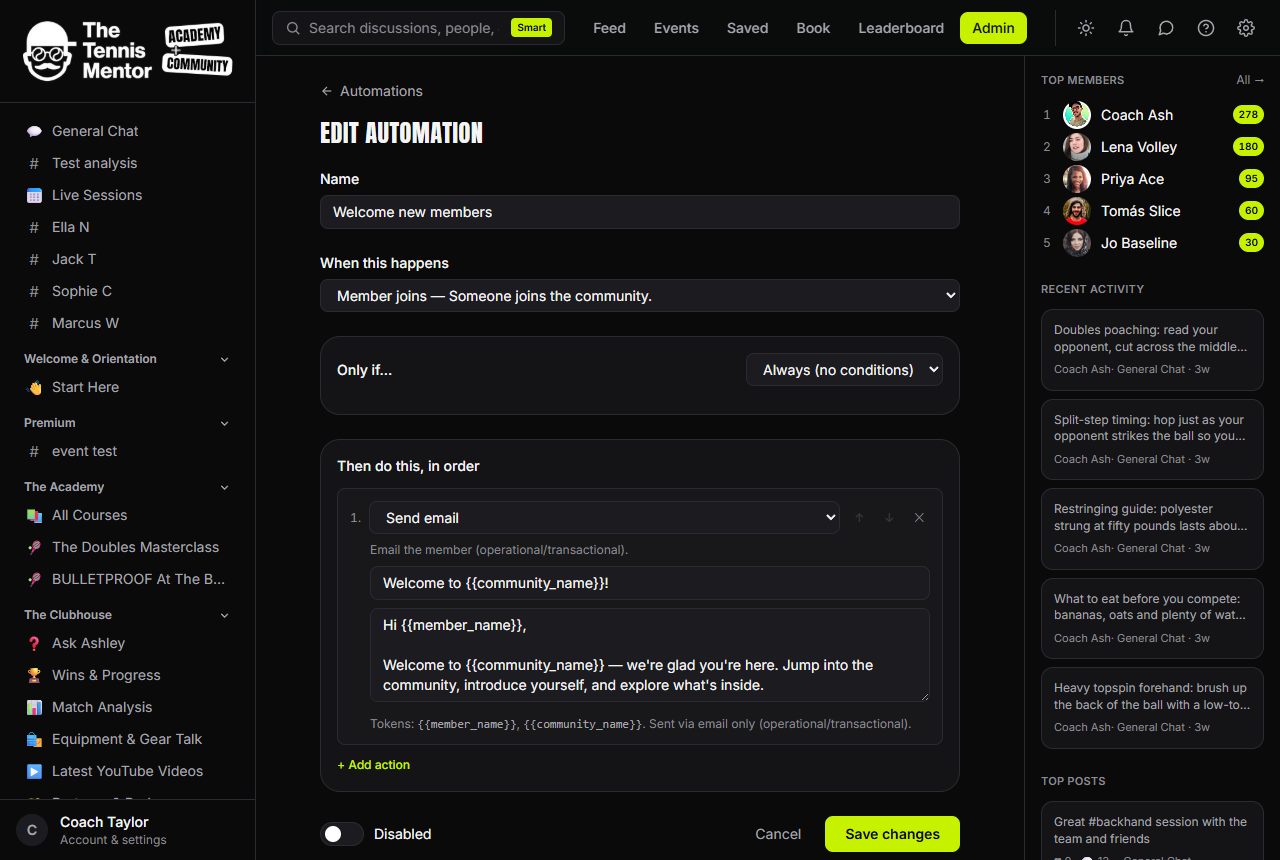
- Send an email — from your reusable templates, personalised per member
- Add a tag / Remove a tag — segment people automatically (buyer, level-5, at-risk)
- Grant / Revoke access — unlock or remove a membership tier's content
- Award points — bonus points for behaviour you want more of
- Call a webhook — push the event to Zapier, Make, or your own tools
Add conditions (all/any rules on the member and event) so an automation only fires when it should.
Recipes owners love
- Member joined → send the welcome email + add tag "new-this-month" — every joiner greeted within a minute.
- Purchase completed → grant the tier + webhook to your CRM — revenue events flow everywhere they're needed.
- Subscription expired → send a warm win-back email — lapsed members hear from you automatically.
- Lesson completed → award 5 bonus points — supercharge a course launch.
Every run is recorded under Activity with its outcome, so you can always see what fired and why. A safety ceiling stops any runaway loop before it can annoy anyone.