
For coaches & admins
Logging a lesson in under a minute
Court-side, phone in hand: Lessons tab → + Log a lesson.
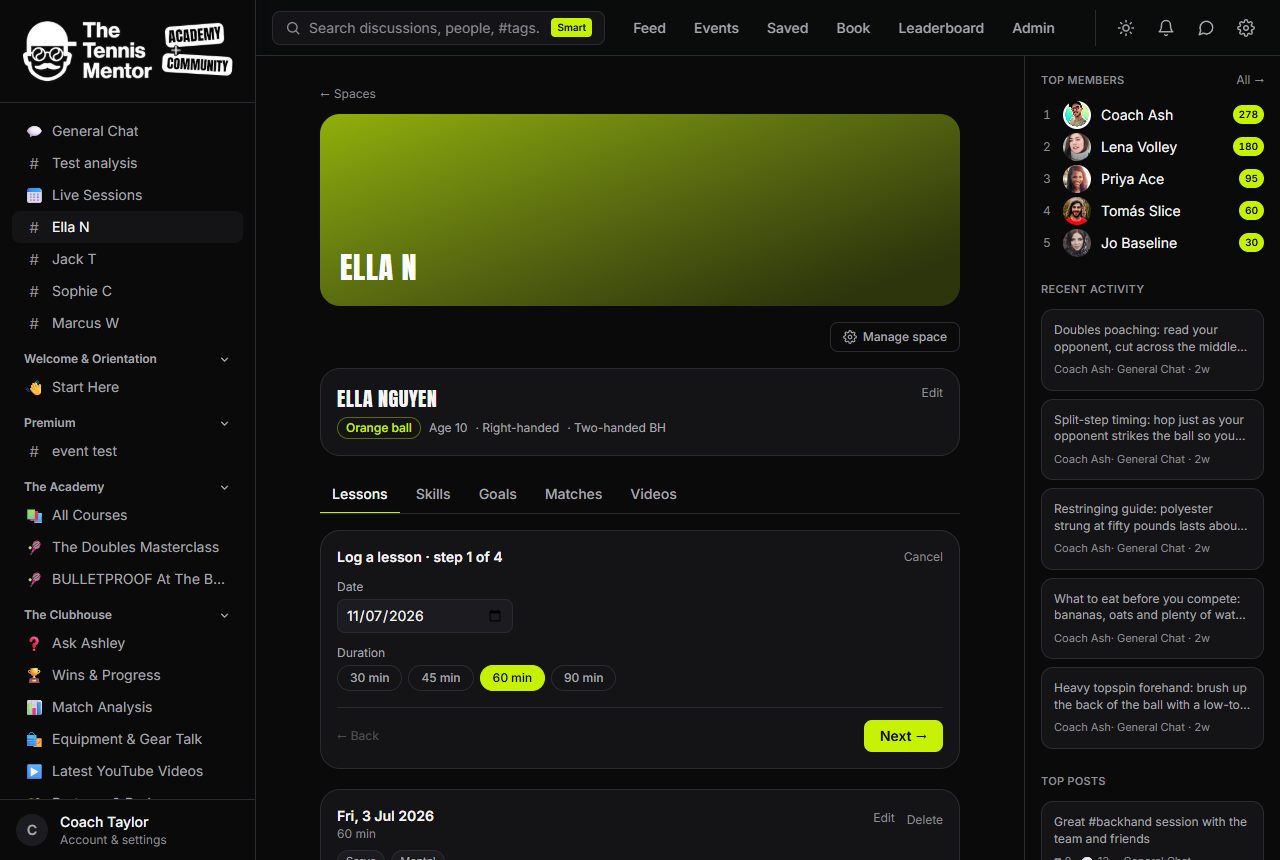
- When — date defaults to today, duration to 60. If the session came through the booking system, pick it from From a booking and both prefill, linked forever.
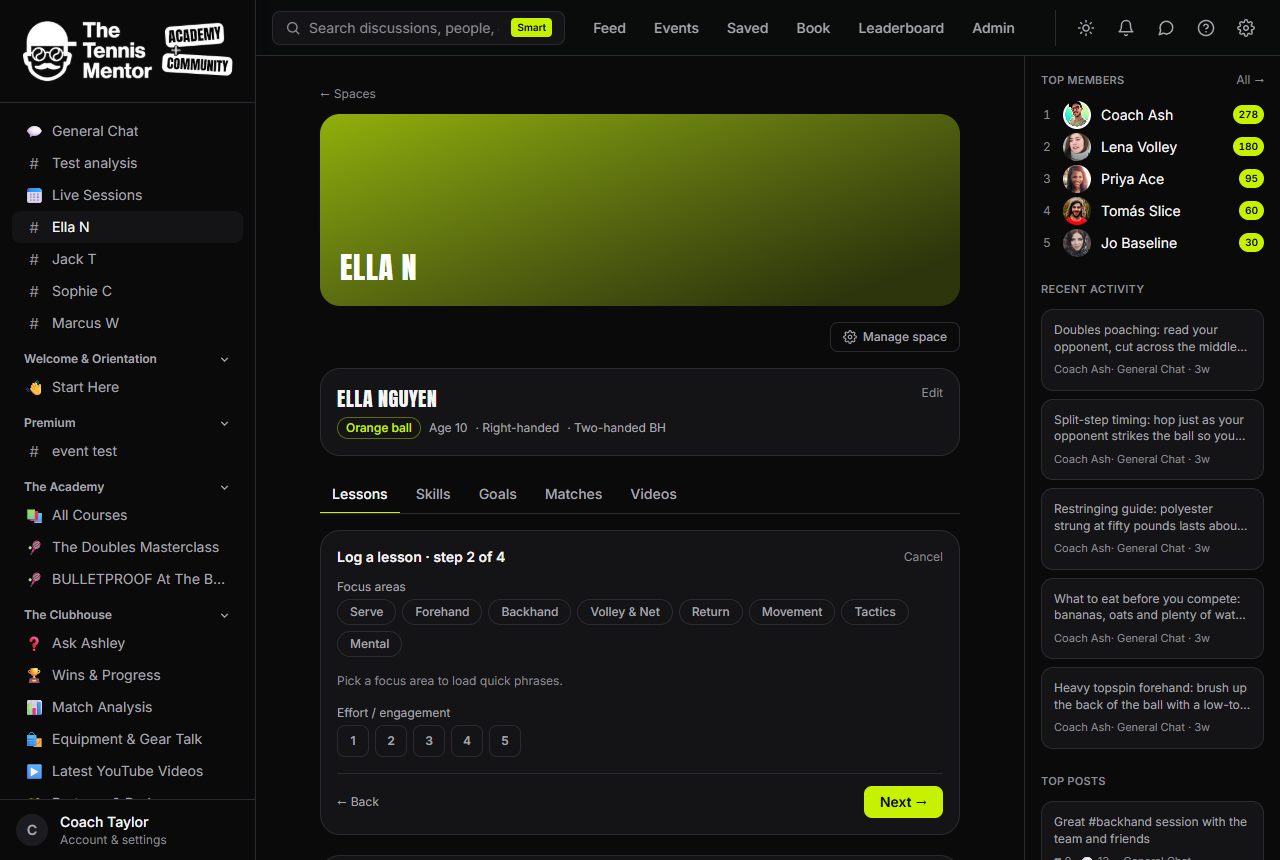
- Focus & how it went — tap the skill areas, then per-skill went well / needs work phrase chips, and an effort score out of 5. Every tap is stored and shows on the lesson card — nothing you tap is thrown away.
- Drills, homework, videos — drills come from your own library as chips (manage it right there); homework chips; up to three YouTube links (uploads can be added after saving).
- Write-up — your taps have already seeded the notes and homework fields. Edit by hand, or let the AI draft it (next guide). Save lesson.
Saving notifies the family in-app, emails them the summary automatically, and the lesson appears at the top of the log. Made a mistake? Edit on any lesson card fixes the details without losing anything.