
For parents & players
Homework — tick it off, keep the streak
Most lessons come with a small practice task — "Wall rallies, 3 × 5 minutes" — shown in a dashed Homework box on the lesson card.
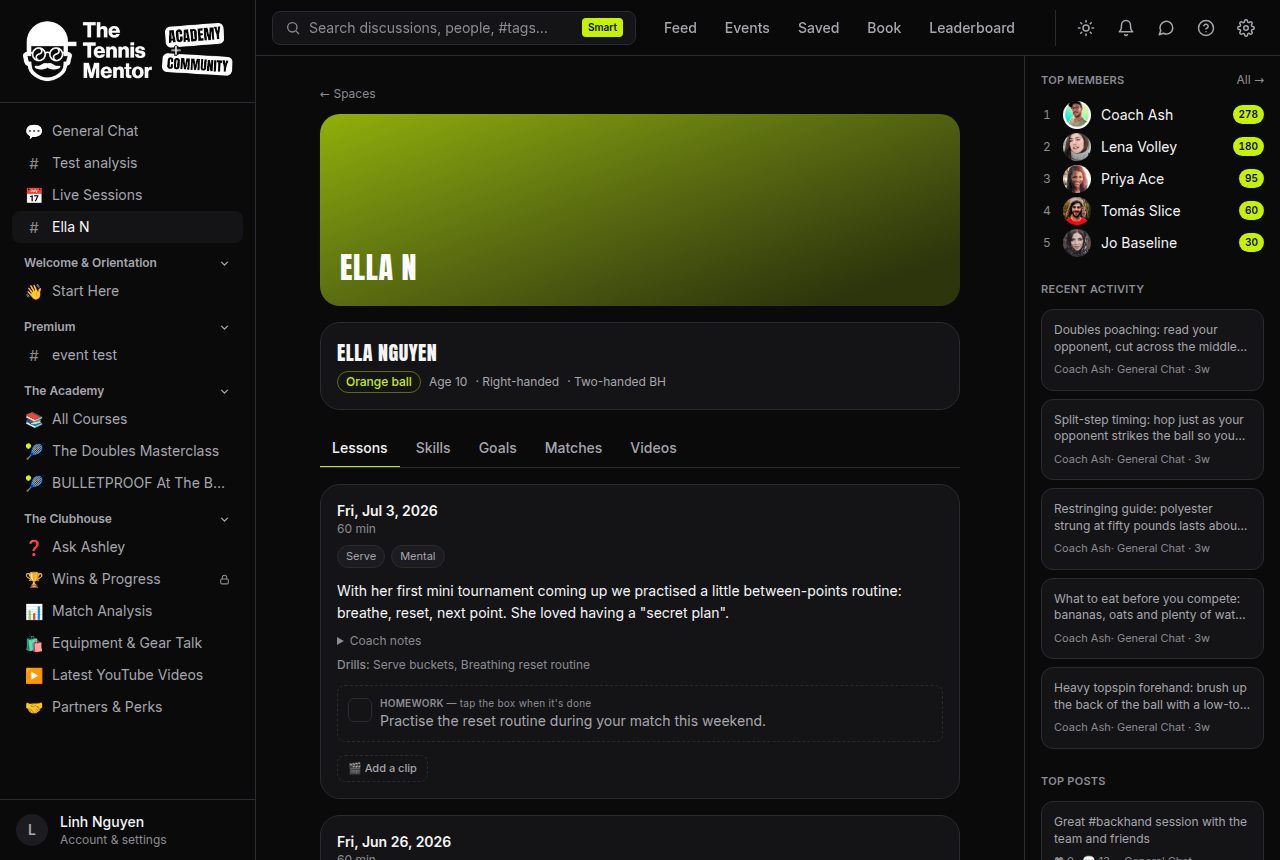
How to mark it done
- Open the player space and find the latest lesson.
- Tap the checkbox next to the homework.
- That's it — the coach is notified instantly, and you'll see a little celebration: the player earns 3 points on the community leaderboard.
Do it several lessons in a row and a streak 🔥 starts building — it shows on the Progress card and in the celebration message.
Friendly reminders
If homework has been waiting a few days, the platform sends one gentle nudge — an in-app note and (unless you've turned that email category off) a short, encouraging email with the task in it. It's sent once per lesson, never repeatedly, and it stops automatically once the next lesson happens.
Un-ticking is fine too — if you tapped by accident, tap again. Points are only ever awarded once per lesson, so nothing can be gamed.