
For members
How notifications work
The bell icon is your Activity feed. A badge shows how many unread notifications you have (capped at 9+), and opening the page marks what you've seen as read.
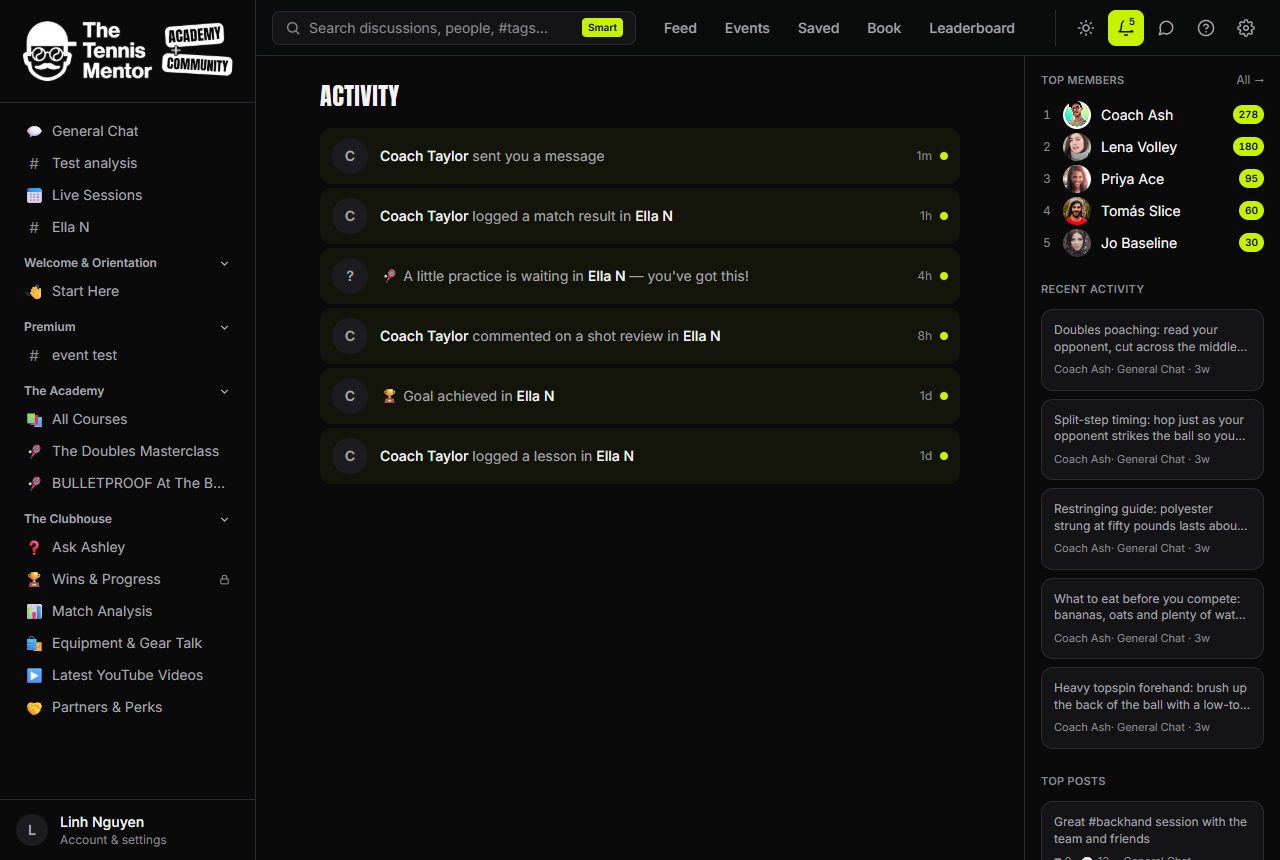
What lands in Activity
- Replies — someone replies to your post or comment.
- Likes — someone likes something you wrote.
- Mentions — someone @mentions you.
- Messages — a new direct message.
- Spaces — you're invited to a space, or your request to join is approved.
- Courses — your coach reviews your assignment, or a scheduled lesson unlocks.
- Events — a new event is added, and reminders 24 hours and 1 hour before anything you're going to.
- Bookings — confirmations and cancellations, including refund status.
- Achievements — you reach a new level.
Each notification links straight to the thing it's about — tap a reply to open the discussion, a message to open the conversation, and so on. Unread items are gently highlighted.
In-app first, email as back-up
Notifications appear in Activity immediately. Email works differently — it's a safety net, not a firehose:
- Roughly every 15 minutes, anything you still haven't seen in the app is bundled into a single digest email. Several new replies become one tidy "3 new replies" email, not three separate ones.
- If you read a notification in the app before the digest runs, it's never emailed at all.
- Each notification is emailed at most once.
So if you're active in the community, you'll barely hear from us by email; if you step away, the digest catches you up.
You choose which categories may email you — see Controlling email for the toggles. Account and safety emails (sign-in links, moderation notices) always arrive regardless.